
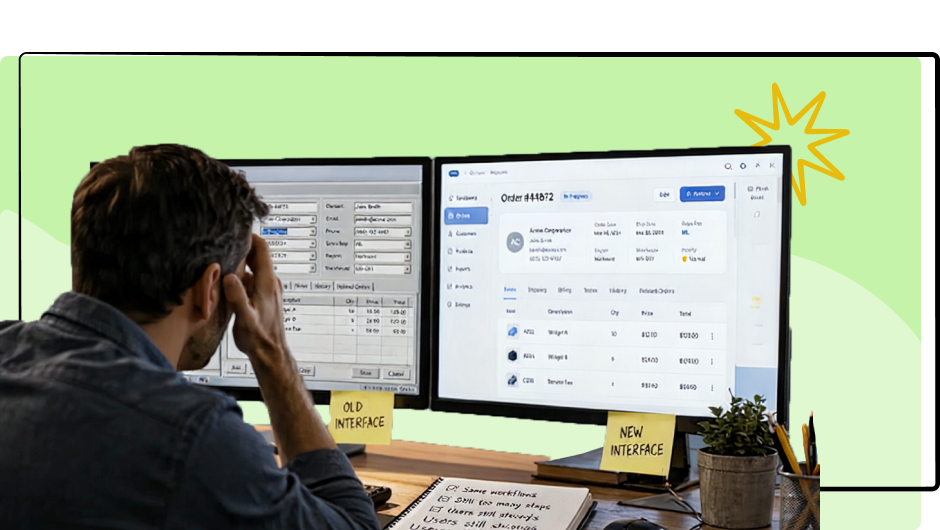
Your Software Redesign Might Be Solving the Wrong Problem
Why modernizing an enterprise application’s interface doesn’t necessarily improve its usability, efficiency, or business value.
Companies spend significant amounts of money redesigning enterprise software every year. Sometimes hundreds of thousands of dollars, sometimes millions.
The reasons are often familiar.
The application looks outdated. The navigation feels old. The screens are cluttered, and the interface doesn’t resemble the modern applications employees use outside of work.
Leadership decides it’s time for a redesign.
A UX team is brought in, new layouts are created, a modern design system is introduced, and eventually the updated application is released.
It looks great.
But six months later, employees are still complaining about the same things.
Tasks still take too long. Workflows are still unnecessarily complicated. Employees continue using spreadsheets to compensate for missing functionality. Training and support costs haven’t improved much.
But at least the buttons look better.
This is one of the biggest mistakes organizations make when modernizing enterprise software: They confuse improving the interface with improving the user experience.
Those are not necessarily the same thing.
The Real Problems Are Often Beneath the Interface
A poorly designed interface can certainly make software difficult to use. Confusing navigation, inconsistent controls, poor visual hierarchy, and outdated interaction patterns all contribute to frustration.
But many of the most expensive usability problems in enterprise software have very little to do with how the application looks.
They’re buried in the way the software works.
Consider an employee who needs to process a customer order. The application requires them to navigate through six screens, enter the same customer information twice, manually calculate a value, and then open a separate application to complete the process.
A redesign might replace the outdated screens with attractive new ones, introduce cleaner typography, and modernize the navigation.
But if that employee still needs to complete the same six-screen process, enter the same information twice, and switch between applications, what has really improved?
The software looks better, but the underlying inefficiencies remain.
And those inefficiencies have real costs.
A few unnecessary steps might seem insignificant until you multiply them by hundreds of employees performing the same task dozens of times every day.
That’s when poor UX becomes a productivity problem, not just a design problem.
Why Companies Keep Redesigning the Wrong Things
One reason this happens is that visual problems are easy to recognize.
Anyone can look at an application and say it looks outdated.
It’s much harder to identify an inefficient workflow, especially when employees have been using it for years.
Users become accustomed to the software’s limitations. They memorize complicated procedures, develop workarounds, and learn which steps are necessary to get their jobs done.
Eventually, those inefficiencies become normal.
When asked what they think about the application, users may complain about its appearance or request a particular feature without recognizing that the underlying workflow is the bigger problem.
Internal stakeholders can unintentionally reinforce this.
Executives want a modern-looking product. Product Managers have feature requests to address. Developers have technical limitations to consider. Designers begin exploring layouts and components.
Before long, the project is focused on designing a better-looking version of the existing application.
And nobody has stopped to ask a more important question:
What problems are we actually trying to solve?
Start With Evidence, Not Screens
Before redesigning enterprise software, organizations should understand how people actually use it.
Not just what users say they want.
Not just what stakeholders believe needs improvement.
And not just what looks outdated.
They need evidence of where the application is failing its users.
That’s the thinking behind our EVIDENT™ methodology at UX Team, which combines user research, expert UX design, AI-assisted analysis, prototyping, and validation to help organizations make better software design decisions.
Rather than immediately redesigning screens, we investigate how users actually work.
We observe people completing real tasks, identify where they hesitate or make mistakes, and look for unnecessary steps, duplicate work, and information that’s difficult to find.
We also look at the workarounds they’ve developed.
Those workarounds can be especially revealing.
If employees routinely export information into Excel, why are they doing that? Is the application missing important functionality? Is the information difficult to manipulate? Are they compensating for a reporting process that doesn’t meet their needs?
If employees regularly switch between multiple applications, could those tasks be consolidated?
If users need extensive training to complete routine activities, is the workflow unnecessarily complicated?
These are the kinds of questions that should shape a redesign.
The answers often reveal opportunities that would never emerge from simply reviewing the existing screens.
Sometimes the Best Redesign Removes More Than It Adds
Enterprise software modernization often becomes an exercise in adding functionality.
New dashboards. New reporting tools. New navigation options. More customization. More features.
Some of those additions may be valuable.
But adding functionality doesn’t automatically improve the user experience.
In fact, it can make an already complicated application even harder to use.
Sometimes the most valuable redesign decisions involve removing unnecessary steps, consolidating information, automating repetitive tasks, or eliminating features that nobody uses.
Consider a workflow that currently requires 12 steps.
If research reveals that the same task can be completed in five steps without sacrificing necessary controls or functionality, that improvement could deliver significantly more business value than an entirely new visual design.
And if that workflow is performed thousands of times each month, even a modest reduction in completion time can translate into meaningful productivity gains.
Of course, not every workflow should be reduced to the fewest possible clicks. Some tasks require deliberate review, verification, or additional steps to prevent costly mistakes.
The goal isn’t simply fewer steps.
The goal is to help users complete their work as efficiently, accurately, and confidently as possible.
That distinction is important.
Measure the Success of a Redesign by What Actually Improves
One of the problems with visual redesigns is that success is often judged subjectively.
The new interface looks cleaner. Stakeholders like the design. The application feels more modern.
Those may be positive outcomes, but they don’t necessarily demonstrate that the redesign was successful.
For enterprise software, success should be measured against the problems the organization originally wanted to solve.
For example:
Task completion time: Can employees complete common workflows faster?
Task success rate: Can users complete their work without assistance?
Error rates: Are employees making fewer mistakes?
Training requirements: Can new employees become productive more quickly?
Support requests: Are users encountering fewer problems that require help?
User adoption: Are employees actually using the application as intended?
Productivity: Can teams accomplish more work with the same resources?
These measures should be established before redesign work begins, not after the new interface has been released.
That allows teams to compare the existing experience with proposed improvements through usability testing and, eventually, real-world performance.
It also provides something far more valuable than stakeholder approval of a new design.
It provides evidence that the investment is producing results.
A Modern Design System Won’t Fix a Broken Workflow
Design systems have become an important part of enterprise software development, and for good reason.
They improve consistency, accessibility, maintainability, and the efficiency of design and development teams.
But even the best design system can’t compensate for fundamentally flawed product decisions.
A beautifully designed button can still trigger an unnecessary action.
A perfectly consistent navigation system can still organize information in ways that don’t match how users think.
A modern dashboard can still display the wrong information.
And a polished interface can still force employees through inefficient workflows.
Design systems help teams build interfaces consistently.
User research and usability testing help determine whether they’re building the right interfaces and workflows in the first place.
Organizations need both.
The Best Redesign Starts by Questioning the Existing Design
One of the most valuable things an organization can do before modernizing its software is challenge the assumptions built into the current application.
Why does this workflow require so many steps?
Why is this information organized this way?
Why do users need to enter the same data multiple times?
Why does this task require switching between applications?
Why do employees maintain spreadsheets outside the system?
Sometimes there are legitimate business, technical, regulatory, or security reasons for these decisions.
Other times, the answer is simply that the application has always worked that way.
And over time, those old decisions have become accepted requirements.
A redesign creates an opportunity to question them.
But only if the organization is willing to look beyond the interface.
Don’t Just Make Your Software Look Better. Make It Work Better.
There’s nothing wrong with wanting enterprise software to look modern.
Visual design matters. A well-designed interface can improve clarity, confidence, accessibility, and the overall experience.
But appearance should be one part of a broader effort to improve how the application supports the people using it.
Before investing in a redesign, organizations should understand which problems are costing users time, creating errors, increasing support requirements, or limiting adoption.
Then use research, prototyping, and usability testing to determine which changes will make the greatest difference.
Sometimes that means a completely new interface.
Sometimes it means rethinking an entire workflow.
And sometimes it means making a relatively small change that eliminates a surprisingly large amount of frustration.
A successful software redesign shouldn’t be measured by how different the application looks. It should be measured by how much better it works.
Because making bad software look good doesn’t make it good software.